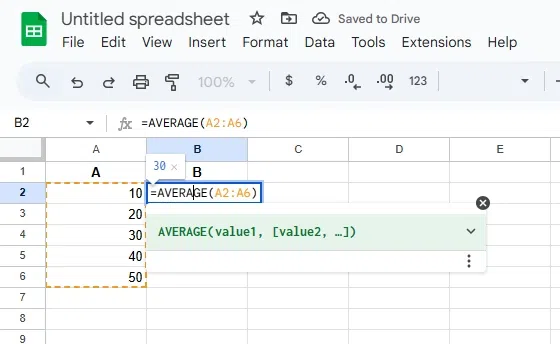
This is the hero we all need. It’s called AVERAGE, because Google wasn’t trying to be clever that day. You just type it in, and it does the heavy lifting for you.
Picture this: you have a column of numbers. Maybe it’s your daily steps, maybe it’s how many cups of coffee you drank this week—no judgment. Click on an empty cell. Then type =AVERAGE followed by an open parenthesis.
Now, highlight the cells you want to average. Like, click and drag over them. Then close the parenthesis with a ) and hit Enter. Boom. Your average appears. It’s like magic, but with less smoke and more spreadsheets.
Why This Works (And You Should Care)
The function adds up all the numbers in your range. Then it divides that sum by the count of numbers. Simple math, but Google Sheets does it in a blink. You don’t have to worry about missing a cell or messing up the division.
But here’s the kicker: if you have empty cells or text in your range, Sheets ignores them. It only calculates numbers. So if you accidentally typed “n/a” in there, it won’t freak out. It just skips it. Cool, right?

