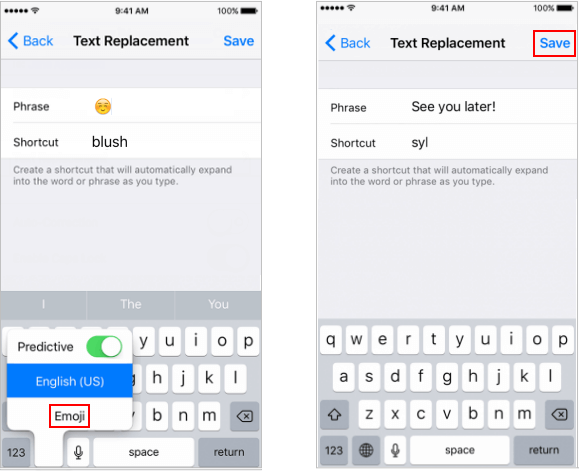
To create a text shortcut on your iPhone, go to Settings > General > Keyboard > Text Replacement. From there, you can add new shortcuts and phrases to your heart's content. It's super easy and only takes a minute or two to set up - trust me, it's worth it!
One of the best things about text shortcuts is that you can customize them to fit your needs. Want to send a quick "Happy birthday" message to a friend? No problem! Just create a shortcut and you're good to go. You can also use them for common phrases like "I'm running late" or "Just got to the office" - the possibilities are endless!

